Already pay for ChatGPT?
Then the same tutors can run there. Three steps, in the desktop app, about two minutes.
You'll need an aitutors.me subscription — the one your tutors already run on. See plans.
Check these first
- Yes:Desktop appThe ChatGPT or Codex desktop app for Mac or Windows.
- No:Not on a phoneThe mobile app can't do this at all.
- No:Not the browserchatgpt.com has a different flow. This page covers the desktop app only.
Plugins are available with ChatGPT Work on the web and with ChatGPT Work or Codex in the ChatGPT desktop app. Plugins aren't available in Chat, the IDE extension, or mobile.— OpenAI
Three steps
Words in bold below are exactly what ChatGPT and Codex call things on screen.
- Step 1
Open Plugins
In the ChatGPT or Codex desktop app, click Plugins in the sidebar — the same steps work in either app. Requires a ChatGPT Work plan, or Codex; Plugins aren't available on Plus or Free.Plugins ChatGPT's word for an outside tool it can use. Ours is the tutors.
The desktop app sidebar, with Plugins picked out. 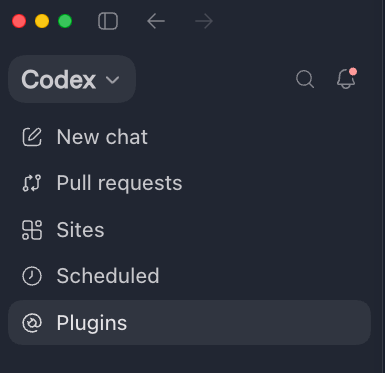
- Step 2
Create → Add marketplace
Click Create in the top right, then Add marketplace.marketplace a place ChatGPT looks for plugins. Ours is a small public GitHub repository holding nothing but our plugin's name and address — no lesson content.
OpenAI has moved this menu twice already. If Create doesn't show Add marketplace, that's the likely reason rather than anything at our end.
The Create menu, open, with Add marketplace picked out. 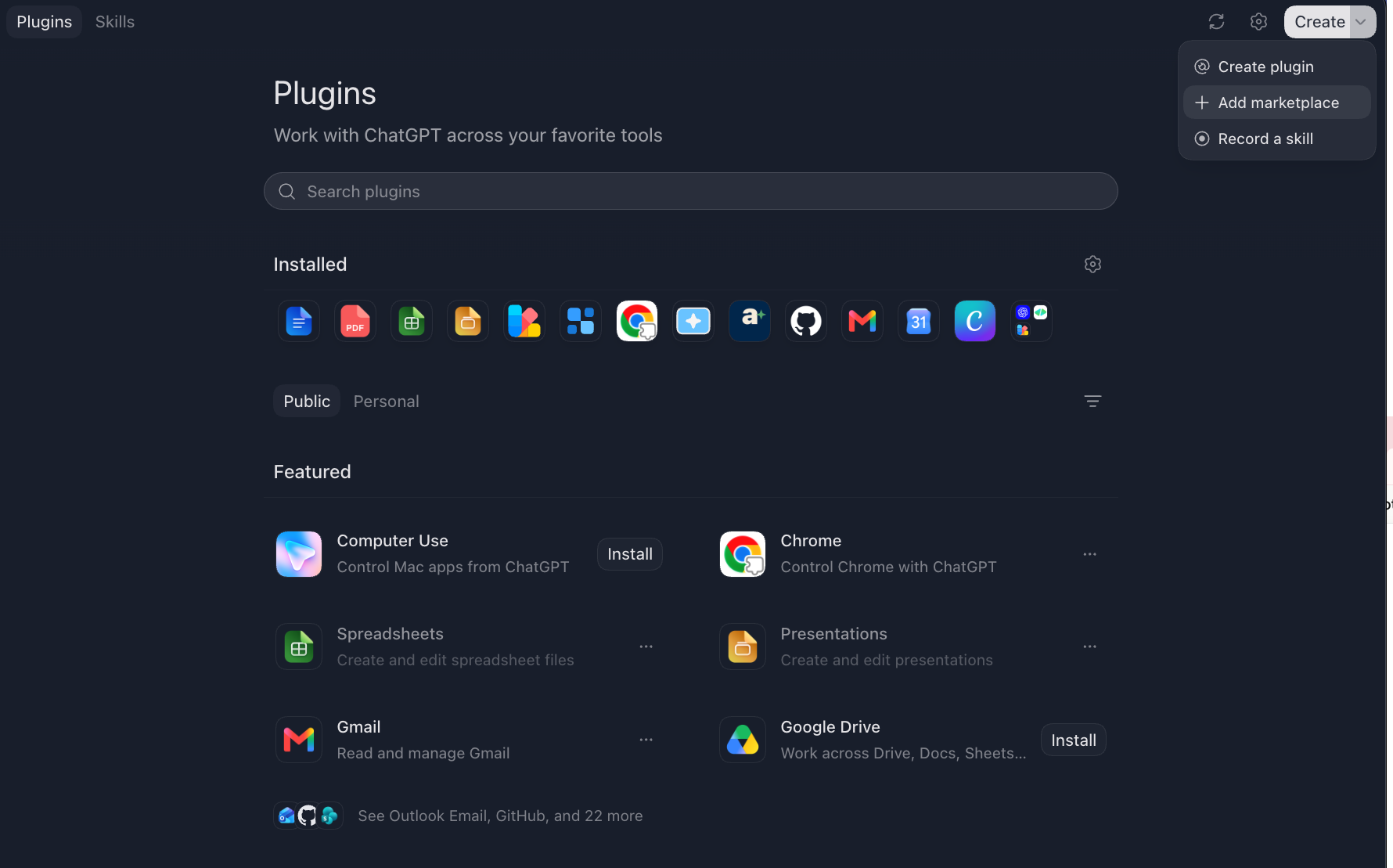
- Step 3
Add our marketplace
Paste our repository under Source, leave Git ref as main and Sparse paths blank, then press Add marketplace. AI Tutors will appear in your plugin list — open it and sign in when prompted.Source the address ChatGPT copies the plugin from — a GitHub repository, not the tutors' own web address. Get this one wrong and ChatGPT reports it can't find a repository, not a login error.sign in we ask once, so the tutors know which subscription is yours. Nothing new to pay for.
Repositoryhttps://github.com/maggielovelace/aitutors-pluginThe Add plugin marketplace form: our repository under Source, main under Git ref, Sparse paths left blank. 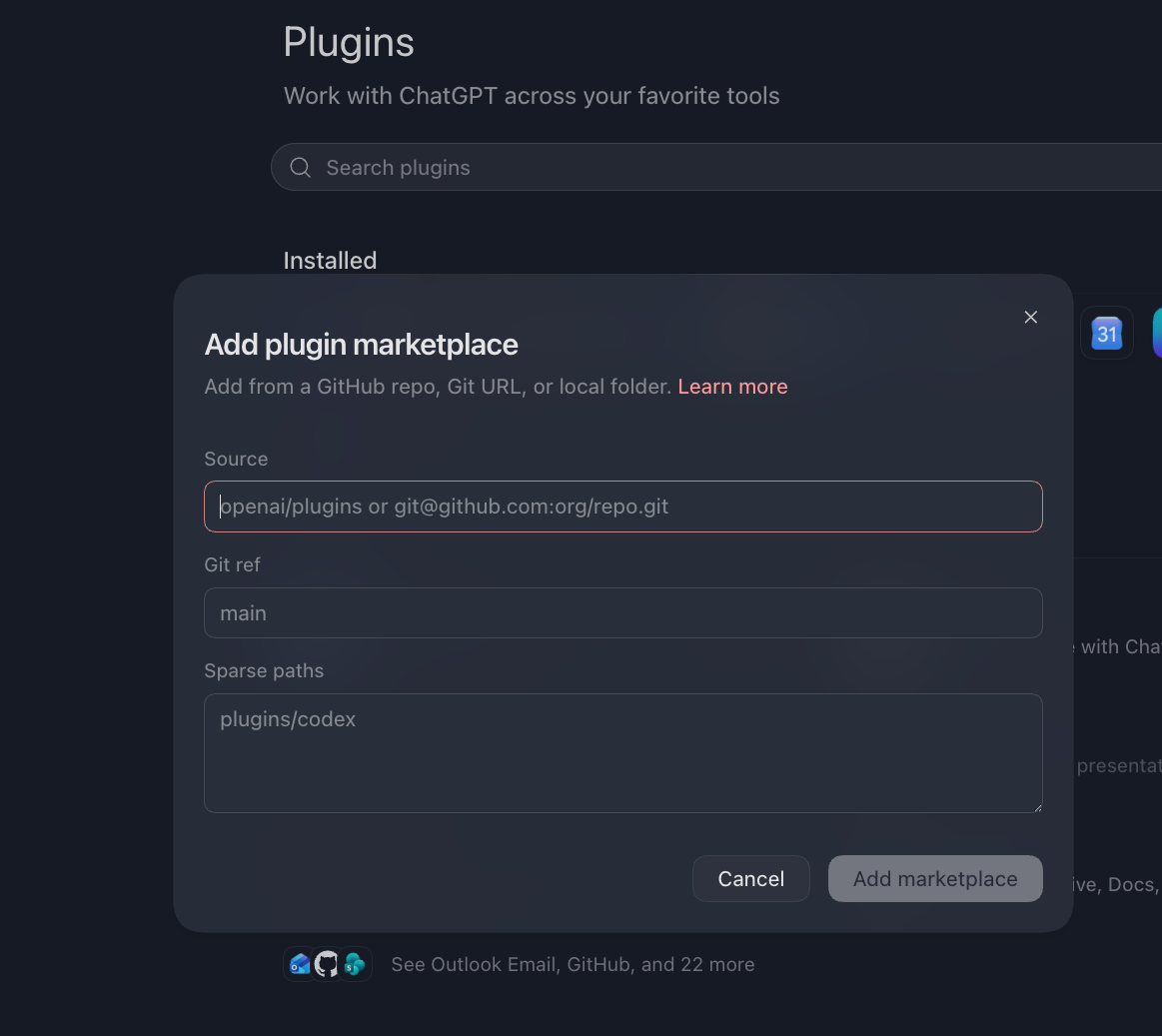
You'll know it worked when…
…the tutors are listed on the Plugins page and the connection reads as connected. Open a new chat, switch the plugin on for it, and send:
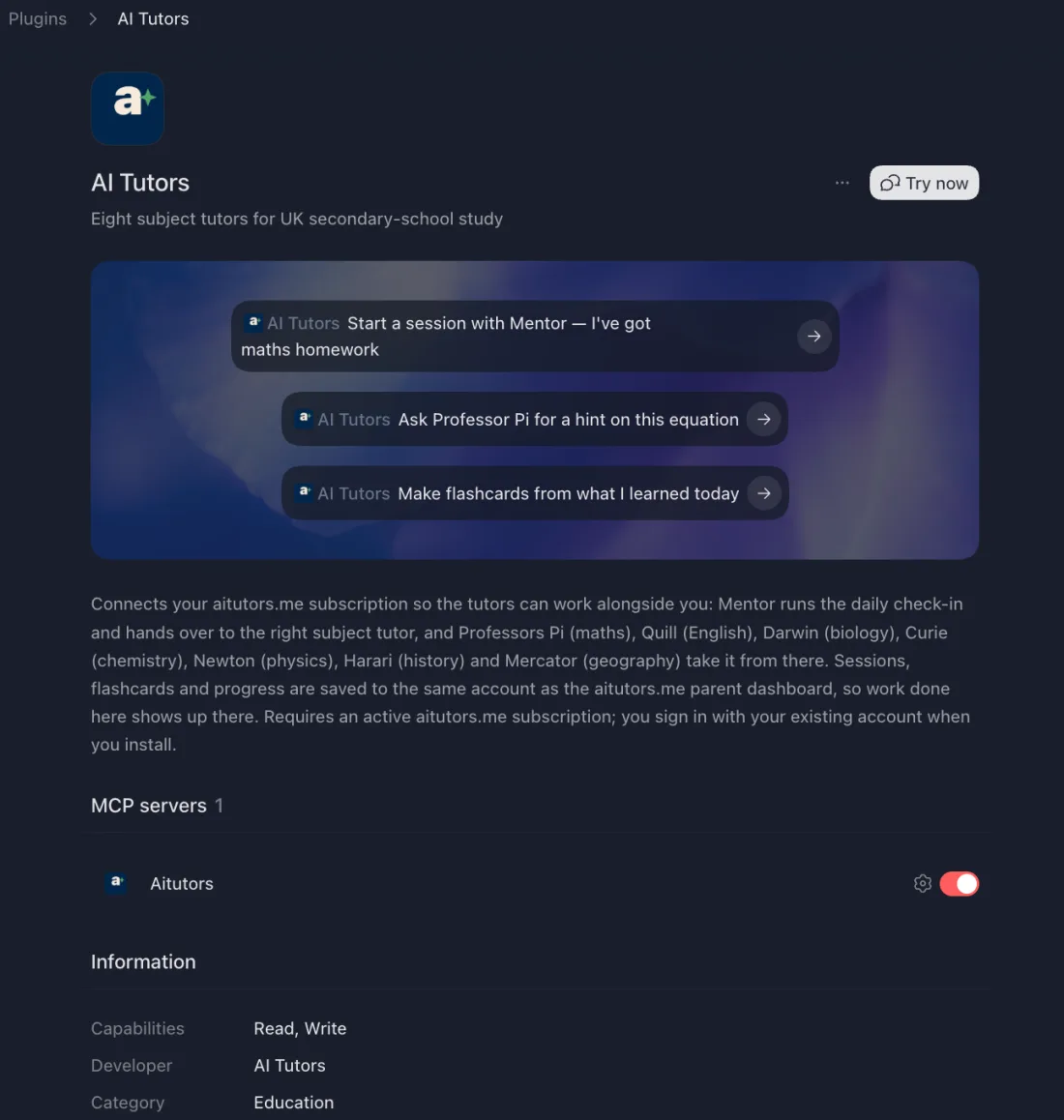
Start a session with Mentor — I want to do some maths.Using the Codex CLI instead?
The Codex desktop app plugin above works the same way as ChatGPT's. The Codex CLI and IDE extension are different surfaces and take a settings file rather than a plugin. Codex CLI setup →
Please read our safeguarding policy before your child uses the tutors.